
AI Assistant for Permit to Work: A Second Pair of Eyes, Built Into Every Permit
Meet our latest AI Assistant for Permit to Work. It brings a second pair of eyes directly into your permit workflow, helping you spot missed hazards and controls while strengthening your risk register in the background. And all without slowing you down.
Permit quality should never depend on who happens to be preparing it that day. Yet even experienced approvers can overlook something when work is repetitive or time is tight. Traditionally, improving quality meant adding another reviewer. A formal four-eyes check. And with that comes friction.
The TenForce AI Assistant applies that principle digitally, bringing four-eyes quality directly into your existing workflow. Not as a separate tool or automation. But as practical support that raises the baseline quality of every permit.
Reduce your operational risk, without adding friction
Built for high-risk, high-throughput environments such as manufacturing, food & beverage, and pharmaceuticals, this assistant improves permit quality without slowing operations.
It helps you:
- Catch hazards and controls you might have missed
- Strengthen your risk register over time
- Keep every permit aligned with your safety standards
Your workflow doesn’t change. Accountability stays the same, and responsibility stays with your team.
The outcome is simple: stronger permits, lower operational risk, and better risk knowledge over time, all without slowing work down.
How it works inside your workflow
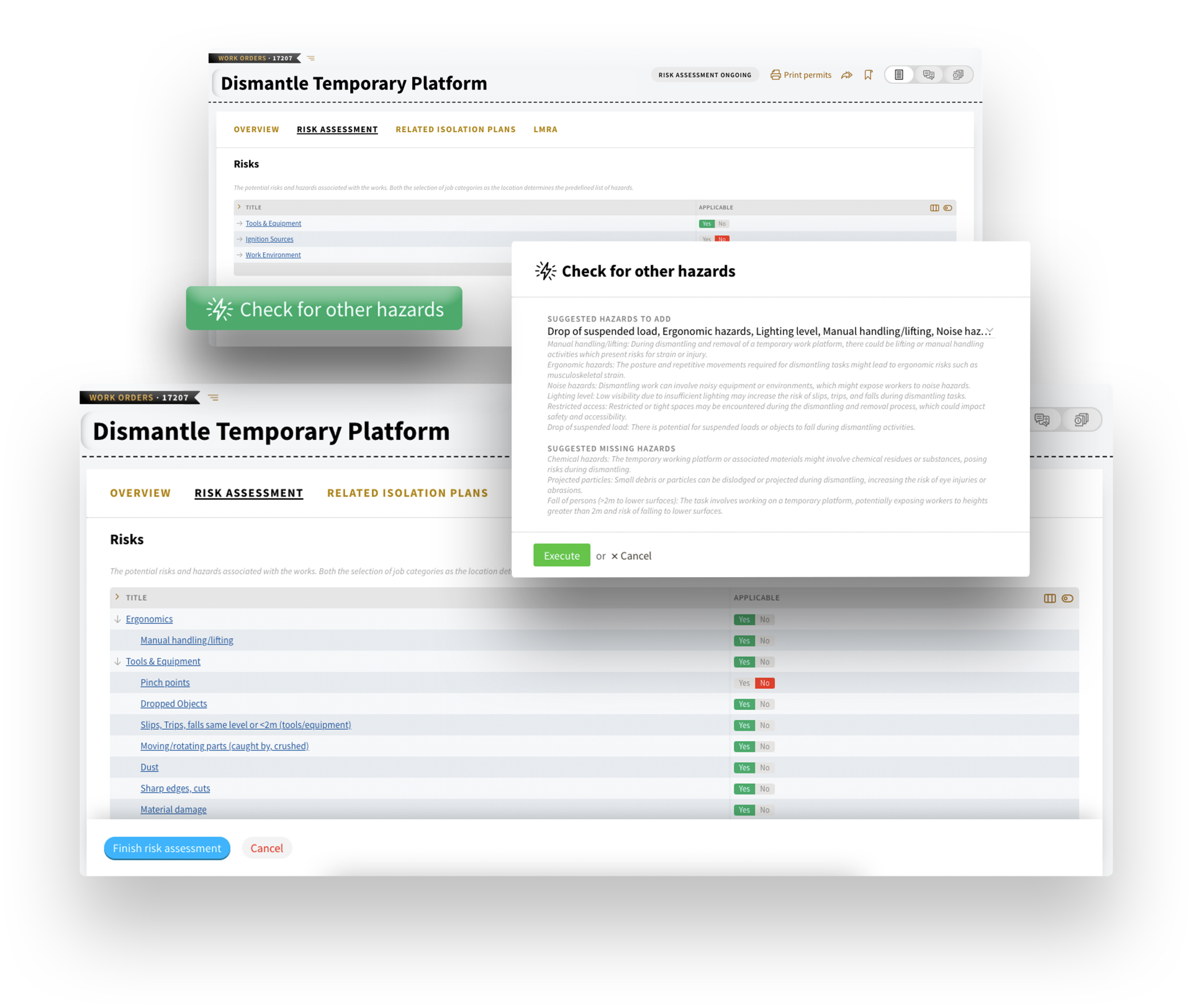
When you reach the Hazard Identification and Risk Assessment (HIRA) step in your permit workflow, you can trigger the AI assistant (with just one click). It reviews:
- Work order information
- Location and job type
- Historical permits
- Existing hazards and controls in your reference data
Based on that context, it provides two types of suggestions:
- Existing recommendations: Hazards and controls already available in TenForce are suggested via a multi-select dropdown. You choose what applies and move on (no retyping, no switching screens).
- New suggestions: If something relevant isn’t yet in your reference data, the assistant proposes it. Accepted items are captured in the “Other hazards” or “Other controls” fields in your Risk Assessment tab and in “Lessons learnt” on the Overview tab to keep your process improving over time.
Nothing is added automatically. The assistant suggests, and you decide.
If you’d like to see it in action, we’d be happy to show you how it fits into your environment.