
Make Every Incident Report Count: What’s New in TenForce
Your incident management program might be running smoothly, but could it be running more effectively? Near misses that go unreported, investigations that stop at the first plausible explanation, or corrective actions that don’t quite address the underlying causes can all mean missed opportunities to prevent future incidents.
We’ve made three improvements to TenForce Incident Management to help you close those gaps. You can now make it easier for everyone on-site to report incidents and near misses, investigate several possible causes at once, and link corrective actions directly to the root causes they’re meant to address.
Here’s what that looks like in practice.
Don’t let a missing login mean a missing incident report
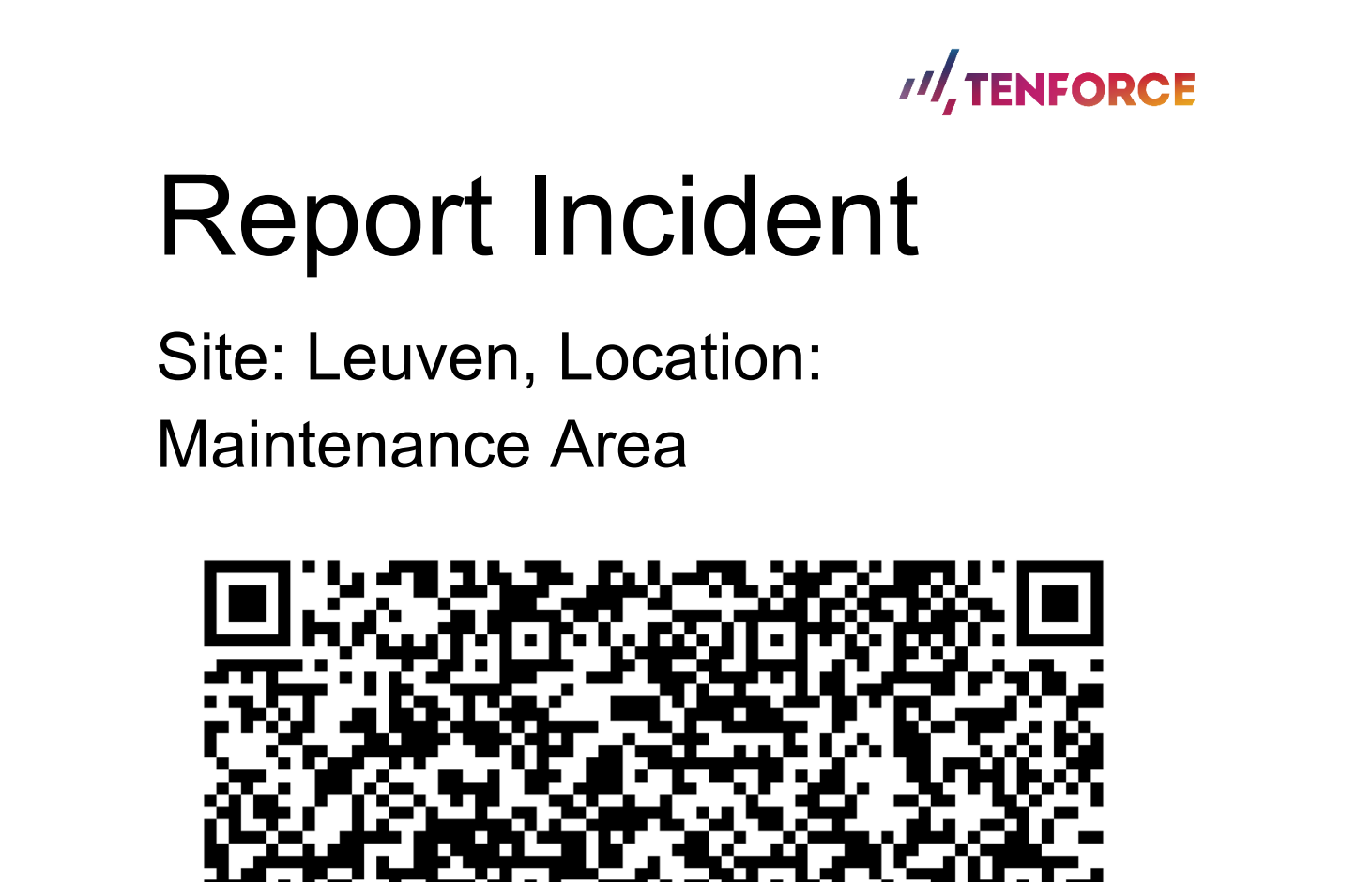
Contractors, temporary workers, and visitors might not have TenForce accounts, but their near misses and safety observations are just as valuable as anyone else’s. And the more steps involved in reporting something, whether it’s tracking down a supervisor or filling in a paper form, the greater the chance it won’t get reported at all.
Our new public incident reporting form makes it easy for everyone on site to speak up. All you need to do is generate QR codes or short links and put them where people work. That way, if someone spots a leaking valve or has a near miss with a forklift, all they need to do is scan the code, fill in the form, and submit their report.
Better still, there’s no extra reporting channel to manage because every report goes straight into TenForce Incident Management and follows your usual workflow.
For you and your team, that means:
- Fewer blind spots. Get a clearer picture of what’s happening on site, including incidents and near misses involving people who don’t have TenForce accounts.
- More chances to spot recurring risks. Capture events and near misses that might go unreported and pick up on patterns before something more serious happens.
- Less paperwork to chase. No more collecting reports from separate channels and entering them into the system yourself. Every report goes through the TenForce workflow.
- The right location, from the start. Site- and location-specific QR codes mean reports are already linked to the relevant work area.
One incident doesn’t always mean one root cause
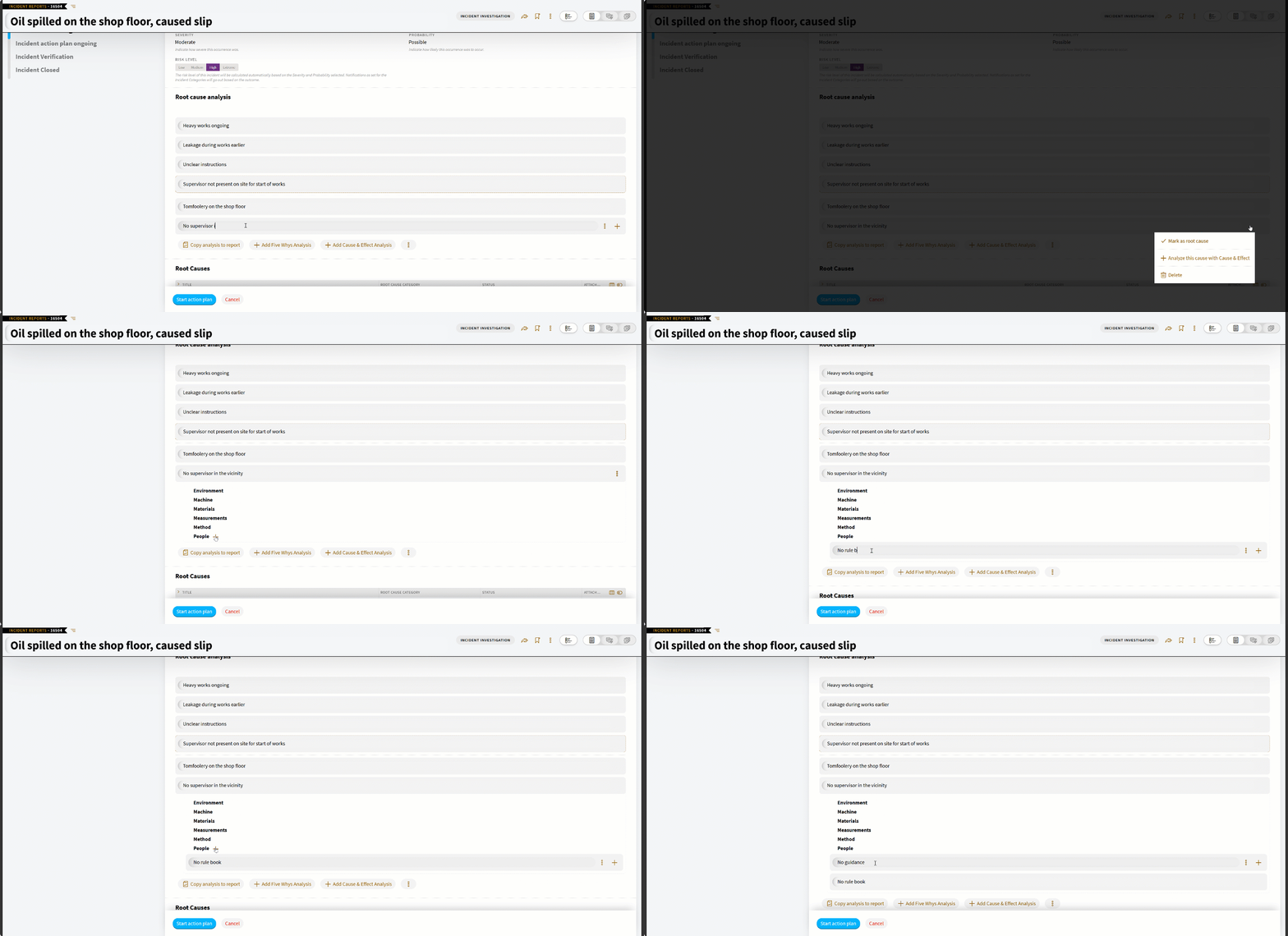
Sometimes an investigation raises more questions than it answers. You start looking at an equipment failure and uncover an issue with the procedure. Then an interview points to something else entirely. You shouldn’t have to squeeze all those findings into one Five Whys chain or finish one analysis before you can investigate another.
That’s why TenForce now lets you run multiple root cause analyses in parallel for the same incident.
Take a loss of containment during maintenance. Your team might need to investigate equipment isolation, maintenance procedures, and operational conditions. Now you can follow each line of inquiry separately, adding new analyses as evidence comes to light, without losing the work you’ve already done.
And when different specialists are involved, there’s room for everyone to explore their area of expertise. Maintenance can investigate equipment failures while production examines operational conditions, with all the findings kept together under the same incident.
What does that mean for your investigations?
- Don’t settle on the first explanation. An equipment failure doesn’t rule out procedural or organizational weaknesses. Explore the different possibilities before drawing conclusions.
- Keep different causal paths clear. Investigate contributing factors separately, rather than trying to fit unrelated findings into one sequence.
- Use the method that fits. Run Five Whys analyses to explore specific failure sequences and Cause and Effect to examine broader contributing factors.
- Follow the evidence as it develops. Add new lines of inquiry without having to start over or abandon earlier analyses.
- Keep the full picture on record. Include multiple analyses in the incident report so it’s clear how your team reached its conclusions.
Make sure corrective actions address what went wrong
Once you’ve identified the root causes, it’s time to take measures to fix them. But when corrective actions are managed separately from the investigation, it’s easy to lose sight of why they were raised in the first place.
That’s why you can now create corrective and preventive actions directly from a confirmed root cause in TenForce.
The link works both ways: open a root cause, and you’ll see the actions associated with it; open an action, and you’ll see the root cause behind it. And because everything is managed through the regular Actions tab, there’s no extra process for your team to deal with.
What does that mean in practice?
- Know what’s being done about each root cause. See the actions linked to your investigation findings, without digging through notes or separate action lists.
- Give action owners the full picture. Instead of simply being told to “Update the isolation procedure,” they can see that the investigation found it didn’t account for residual pressure in the equipment. Now they know exactly what needs fixing.
- Check that actions are tackling the right problems. It’s easier to spot when a proposed action doesn’t really address the root cause and challenge it before the work is done.
- Make audits and incident reviews easier. Show not just which actions were taken, but why they were needed and which root causes they address.
Instead of having to piece together investigation notes and action records, your team can see what caused the incident and what’s being done about it in one connected process.
Get more out of every incident investigation
From making it easier to speak up about a near miss to getting to the bottom of what caused an incident, these updates help your team get more out of every report and investigation.
You’ll have more opportunities to spot risks before they lead to something serious, more freedom to follow the evidence wherever it takes you, and a clearer picture of what’s being done to address the root causes.