/Blog
 New in TenForce: A Clearer Way Through Every Workflow  1 job opening
/Blog

New in TenForce: A Clearer Way Through Every Workflow

9 · 10 · 2026 by Claire Styles

Psychologists use the term flow to describe the state where you’re fully focused on a task. Part of getting there is knowing what you’re doing, how the work fits together, and where you’re heading next. That clarity matters in EHS.

One moment, you might be reviewing an incident. Next, you’re approving a change request. Meanwhile, permit approvals are still waiting for your attention. And many people only use TenForce occasionally, perhaps to take part in an audit or report an incident.

You shouldn’t need to remember every step in a workflow to get the work done.

That’s why we’ve introduced the Flow panel.

It gives users a clear visual view of where an item sits in its workflow, the stages it has most likely passed through, and the most probable route ahead. So when someone opens an incident, permit or change request, they can get their bearings straight away and get on with the work.

See where you are in the process
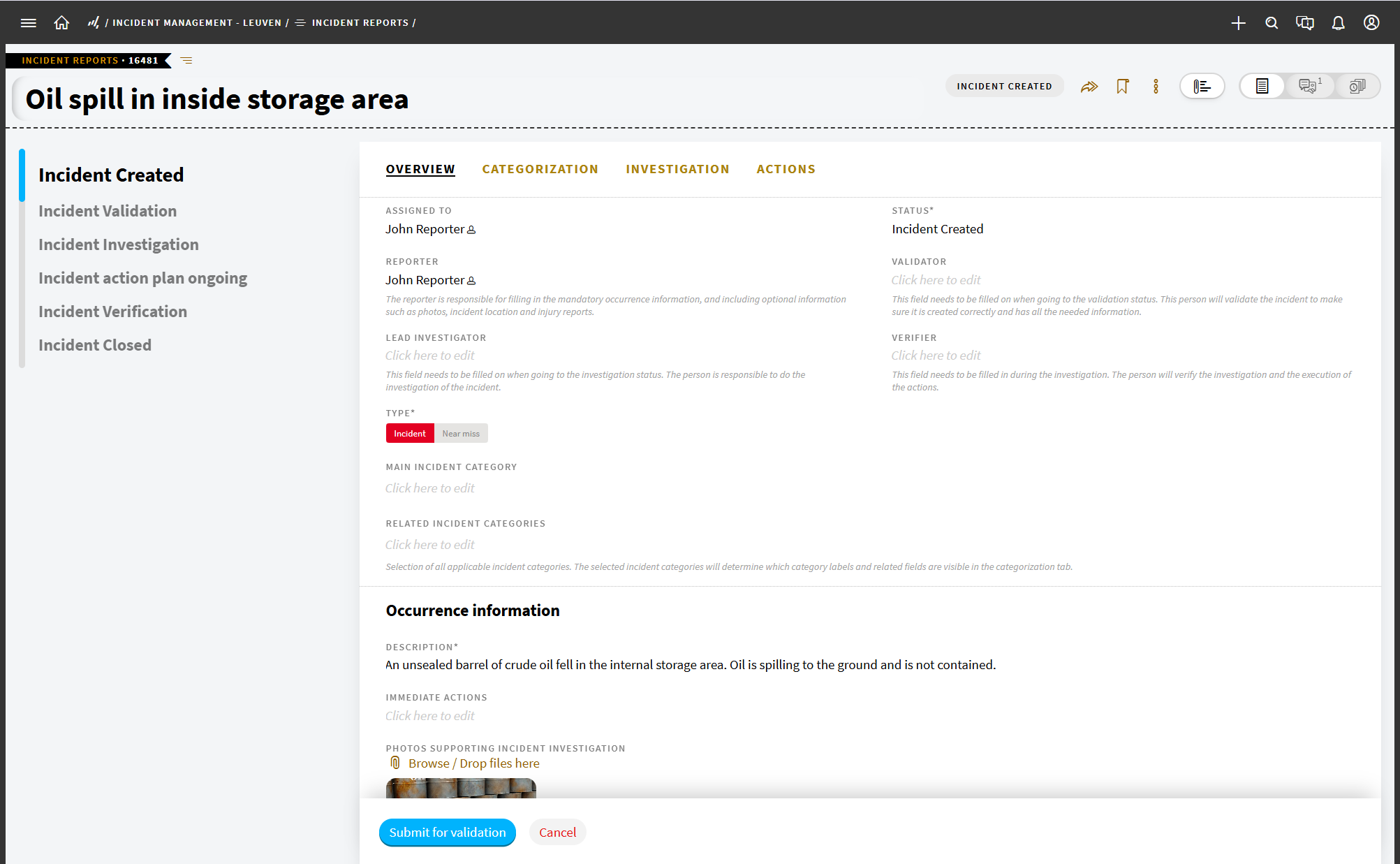
Screenshot of TenForce's new Flow Panel in Incident Management

Opening an incident halfway through its process can leave you with a simple question: where exactly am I? You may know the case and why you’re involved, but not whether the investigation is complete, the review is underway or closure is still a few steps away.

The Flow panel gives you that context. At a glance, you can see where the item sits in the wider workflow and the most likely route ahead. For occasional users, that means less reliance on memory and fewer questions for the EHS team.

What the Flow panel shows

The Flow panel appears directly on the item you’re working with, showing:

  • the stages the item has most likely already passed through
  • its current position in the workflow
  • the most probable stages ahead

It supports the task without pulling attention away from it, helping users stay oriented as work progresses.

Get your bearings, even if you don’t use TenForce every day
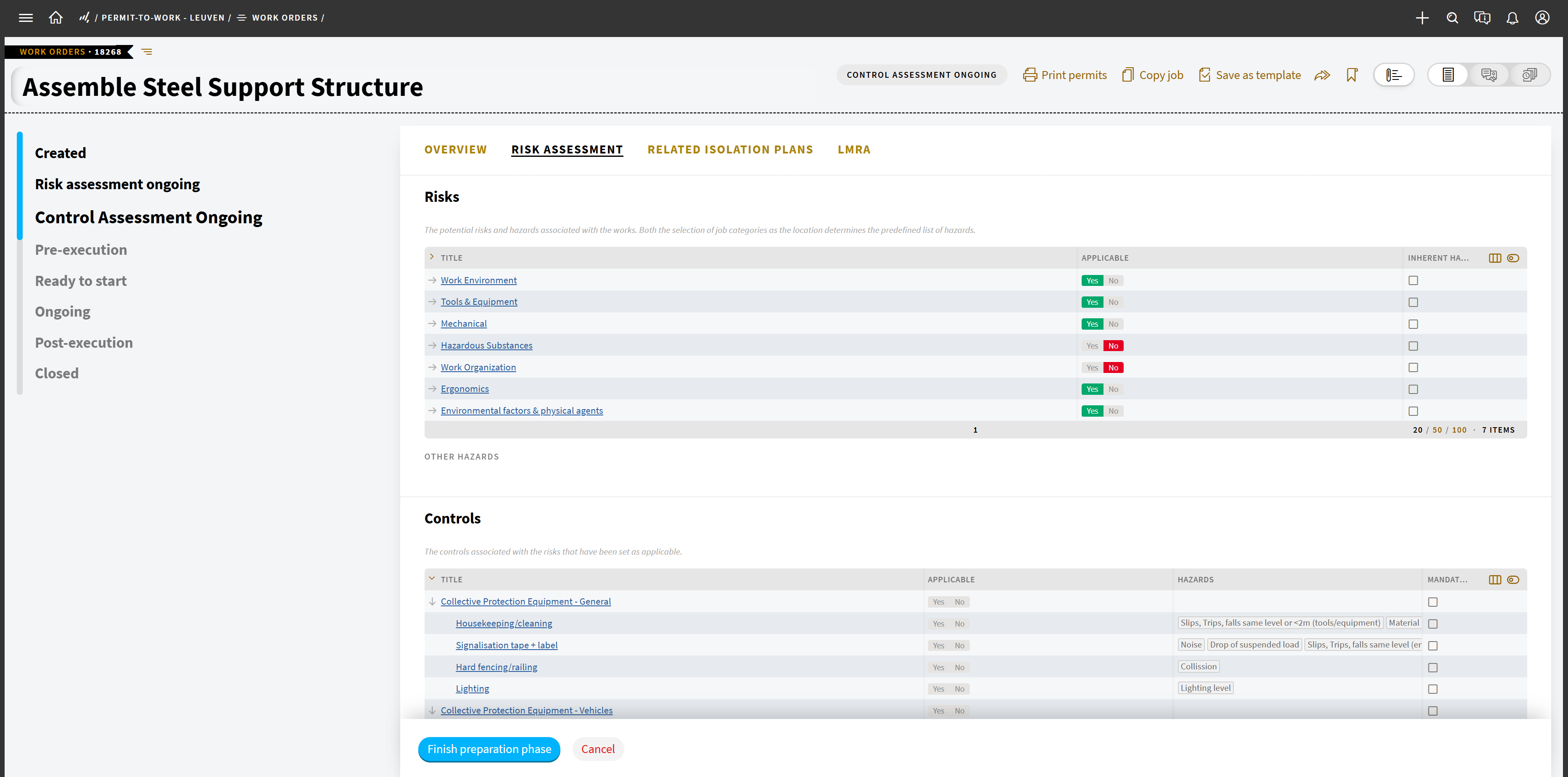
Screenshot showing how to use the Flow Panel in Permit to Work

Making the workflow visible reduces the amount of process knowledge people need to keep in their heads. That’s particularly useful for organizations where EHS processes involve people across operations, maintenance, engineering, production and management.

They may not use TenForce every day. But when they do, they still need to understand what they’re looking at quickly.

They don’t want a refresher on the whole system if weeks or months have passed since they last used that workflow. They need to open the record, understand where it stands, and immediately get on with the job.

By making the workflow visible in context, the Flow panel helps them spend less time working out the system and more time focusing on the incident, permit, change, or other EHS task in front of them.

How the Flow panel works

Administrators can enable the Flow panel for individual concepts through Concept Configuration > Workflow.

Once enabled, users can show or hide it from the item page. That setting is personal, so it won’t affect anyone else’s view.

Earlier stages in the likely workflow are highlighted, while the stages ahead show the expected route forward. If the workflow branches into several equally likely paths, the panel fades out rather than presenting one route as certain.

The panel also updates immediately when the item changes status.

Flow is not history

The Flow panel is designed to help users understand the likely workflow around an item. For the full audit trail of what actually happened to the item, the history log remains the source of truth.

The two views serve different purposes: Flow helps you understand the process.  History tells you what happened.

Less time learning the system

The easier EHS processes are to understand, the easier it is for everyone involved to participate confidently.

With the Flow panel, users can open a record and immediately see where it sits in the wider process and where that process is most likely heading. There’s no workflow diagram to memorize and no need to know every status by heart. Just a clearer view of the work in front of you.

What else is new in TenForce?

  • Open attachment images in a new tab: Inspect photos and other visual evidence in full size, making it easier to review details during investigations, audits, and follow-up.
  • Safer attachment controls: Less prominent delete actions reduce the risk of important evidence or supporting documents being removed by mistake.

Privacy Preference Center

Required
Always Active

These cookies are needed to provide basic functionalities as you browse around the TenForce website. These capabilities include cookie preferences, load balancing, session management, language selection and checkout processes. These cookies ensure the site is performing the requested task and collect data for audit purposes. The information that is collected is aggregated for analysis.

Example Functionality Allowed
  • Enable cookie consent collection and enforcement Remember log-in to provide secure transactions across web pages, provide secure log-in, cloud systems management, authentication, load balancing, user interface language/font preferences and single sign-on
  • Keep track of the user's input while filling online forms, shopping carts for the duration of the session or for up to 24 hours after the session
  • Remember your transaction progress for the duration of the session
  • Multimedia content player cookies, used to store technical data to playback video or audio content, for the duration of a session
  • Third‑party social plugin for sharing logged‑in state for members of a social network.
Example Functionality NOT Allowed
  • Remember your log-in details
  • Remember what is in your shopping cart
  • Make sure the website looks consistent
  • Allow you to share pages with social networks
  • Allow you to post comments
  • Serve ads relevant to your interests

Functional Cookies

These cookies are used to capture and remember user preferences on the TenForce website for a longer period of time and enhance the usability of our websites or to pre-fill forms. The information is aggregated for analysis for anonymous users, but if you sign-in, we keep the data provided to perform the functions requested. Additionally, we use data to enable social interactions and site optimization.

Example Functionality Allowed
  • Enable cookie consent collection and enforcement
  • Remember log-in to provide secure transactions across web pages, provide secure log-in, cloud systems management, authentication, load balancing, user interface language/font preferences and single sign-on
  • Keep track of the user's input while filling online forms, shopping carts for the duration of the session or for up to 24 hours after the session
  • Remember your transaction progress for the duration of the session
  • Multimedia content player cookies used to store technical data to playback video or audio content, for the duration of a session
  • Third‑party social plugin for sharing logged‑in state for members of a social network.
  • Remember your log-in details
  • Remember what is in your shopping cart
  • Make sure the website looks consistent
Example Functionality NOT Allowed
  • Allow you to share pages with social networks
  • Allow you to post comments
  • Serve ads relevant to your interests

Personalization Cookies

These cookies are used to improve the overall experience of your visit to the TenForce, by personalizing messaging based on browsing history, profile data, purchase history and improve our social media and paid media marketing campaigns. The data collected is aggregated for analysis for anonymous users, but if you sign-in, we keep the data provided to perform the functions requested.

Example Functionality Allowed
  • Enable cookie consent collection and enforcement
  • Remember log-in to provide secure transactions across web pages, provide secure log-in, cloud systems management, authentication, load balancing, user interface language/font preferences and single sign on
  • Keep track of the user's input while filling online forms, shopping carts for the duration of the session or for up to 24 hours after the session
  • Remember your transaction progress for the duration of the session
  • Multimedia content player cookies used to store technical data to playback video or audio content, for the duration of a session
  • Third‑party social plugin for sharing logged‑in state for members of a social network.
  • Remember your log-in details
  • Remember what is in your shopping cart
  • Make sure the website looks consistent
  • Allow you to share pages with social networks
  • Allow you to post comments
  • Serve ads relevant to your interests