 Everything You Didn’t Know About Environmental Compliance in Heavy Industry

Compliance Management Software for Regulated Environments

Turn compliance obligations into clear, actionable tasks
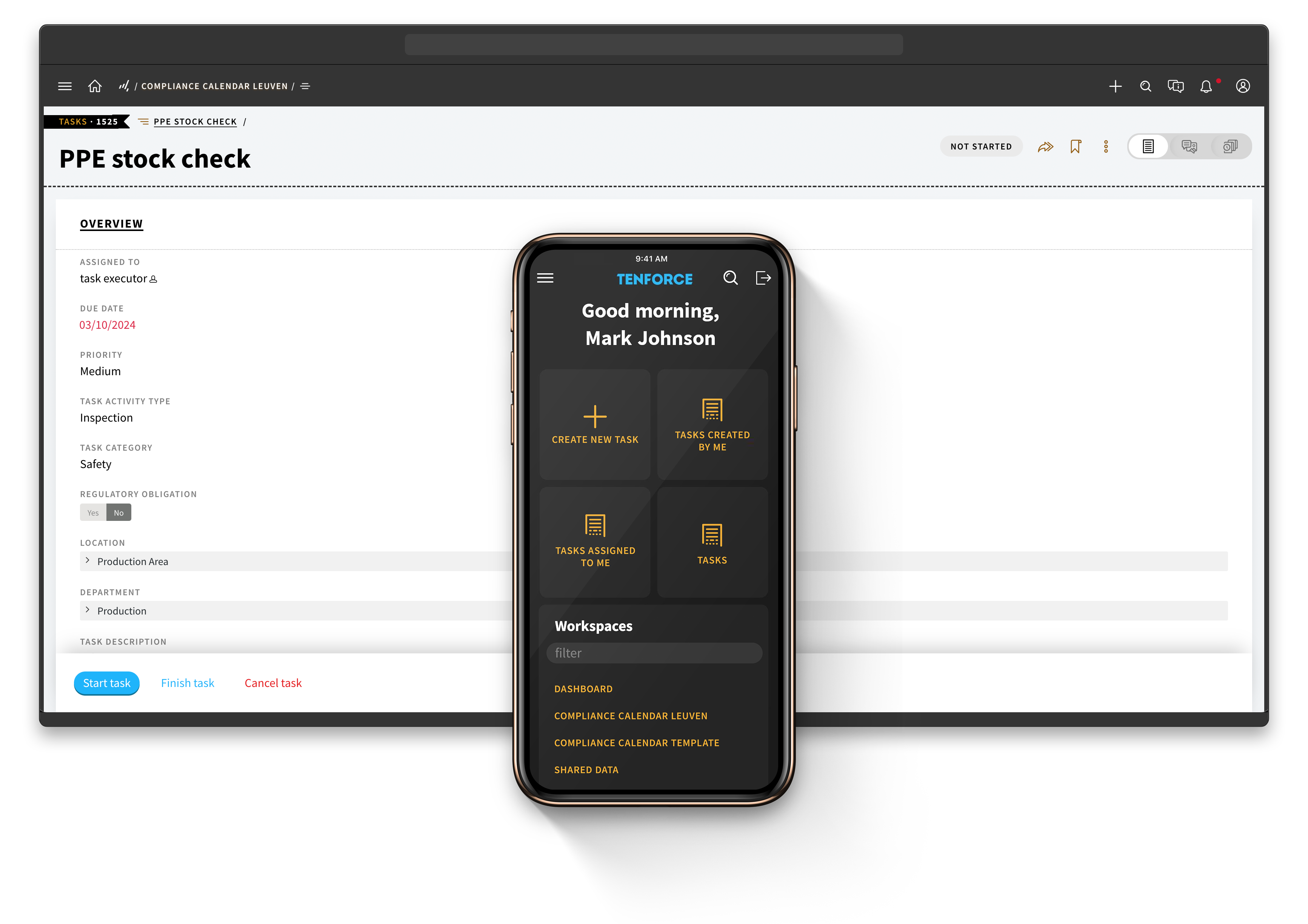
Compliance management software showing a compliance calendar with tasks and deadlines

Never miss a compliance deadline again

1

Identify your compliance requirements

  • No more manual searches. Answer a few quick questions with Enhesa’s screening tool and receive up-to-date regulations specific to your company.
  • Easily turn your regulatory requirements into actionable tasks and track them through to completion.

2

Automate and assign tasks

  • Set up automated workflows for all compliance tasks—whether it’s safety audits, environmental reports, or quality inspections.
  • Assign tasks to the right team members, upload documents, and set priorities.
  • Define task frequencies, then let TenForce handle scheduling and reminders, to keep everything on track.

3

Track and review

  • See all compliance activities in an intuitive, color-coded calendar to track scheduled, upcoming, overdue, and completed tasks.
  • Filter tasks and customize views to focus on your priorities, whether it's occupational safety, quality control, or something else.

4

Close the loop

  • Integrate with TenForce’s Audit Management tools to schedule and conduct thorough audits.
  • Integrate with TenForce’s CAPA module to analyze root causes, track corrective and preventive actions, and resolve non-compliance issues quickly.

All your compliance tasks in one place

Peace of mind

No more tracking regulations yourself – receive relevant, up-to-date regulations for your site. Save time and feel confident that compliance is covered.

Automate compliance tasks

Stop worrying about compliance deadlines. Automate task creation and recurrence, so tasks get done without you needing to think about them.

Keep your team on track

Automatically send tasks and reminders to the right team members at the right time, keeping your team proactive and accountable.

Resolve issues quickly, all in one place

Integrate with TenForce’s CAPA and Audit Management modules to fix non-compliance issues before they escalate.

Your one-stop compliance hub

Track all regulatory obligations in one place—whether it's for safety audits, environmental reporting, or quality certifications. Everything is streamlined for your convenience.
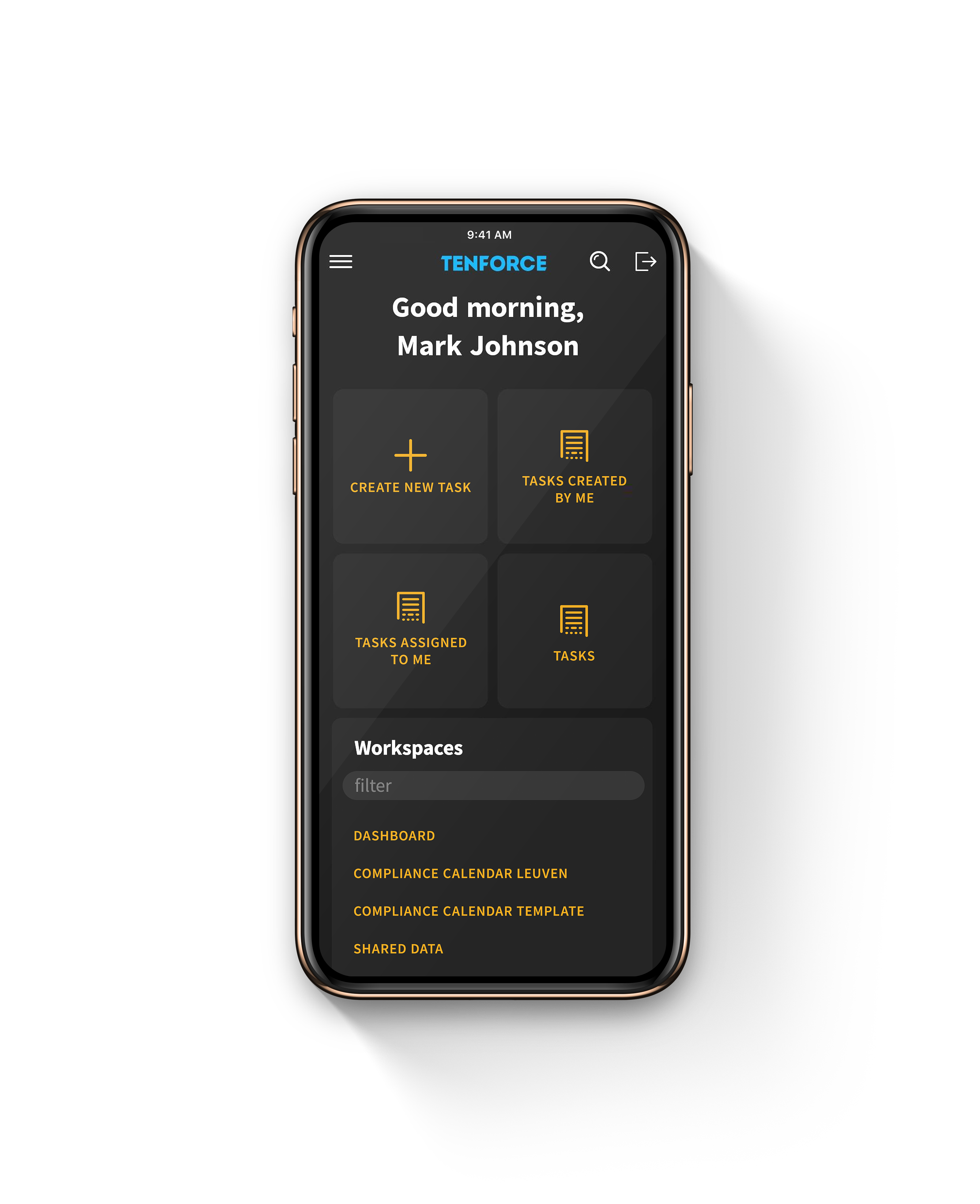
Mobile compliance management software with compliance reminders and task overview

Questions and answers

What should Compliance Management software cover beyond a calendar?

Your Compliance Management software should connect each obligation with clear tasks, owners, deadlines and evidence. TenForce helps you schedule the work, monitor progress and maintain a traceable record from requirement to completion.


How do you identify which regulations apply to your sites?

You can use Enhesa’s regulatory screening tool to identify relevant requirements based on your organization and locations. You can then bring those requirements into TenForce and turn them into practical compliance activities. Or you can enter regulations from your own internal register.


Can you use your own regulatory content provider?

Yes. You can manage requirements from Enhesa, another external provider or your own internal legal register. TenForce provides the operational workflow for assigning, completing and tracking the work linked to those requirements.


How do you turn a compliance obligation into action?

Link the requirement to a task definition, then add the activity type, owner, priority, deadline and supporting documents. Bi-directional navigation lets you move between the regulatory requirement and the tasks created to address it.


Can you automate recurring compliance tasks?

Yes. You can schedule recurring audits, inspections, sampling, reports, permit renewals and other compliance activities. Define the frequency once, then use automated task creation and reminders to keep the work on track.


How do you prove that a compliance task was completed?

TenForce records ownership, status changes, dates, comments and attachments in an audit trail. This gives you evidence of what was required, who completed it and when, without rebuilding the history from emails and spreadsheets.


How can you monitor compliance across multiple sites?

Use calendar, timeline, heatmap and dashboard views to compare tasks by site, category, priority, status, deadline or owner. This helps you spot overdue work and areas needing attention across your multi-site operations.


What happens when you identify a compliance gap?

You can connect the requirement with Audits and Inspections to assess the issue or with CAPA to investigate causes and track corrective and preventive actions. This creates a clear line from the original obligation to resolution.


How does Compliance Management support OSHA, EPA and ISO requirements?

You can use TenForce to schedule and document the inspections, reports, reviews and actions required by applicable OSHA, EPA and ISO obligations. The software supports execution and traceability, while your organization and regulatory intelligence provider remain responsible for determining which legal requirements apply.


How does Compliance Management connect with other EHSQ processes?

Compliance Management is part of the wider TenForce EHSQ platform. You can connect requirements and tasks with Audits and Inspections, CAPA, Document Control, and Quality Management. This keeps obligations, evidence and follow-up in one connected system.
Integrate Compliance Management with other EHSQ modules from TenForce

Compliance Calendar doesn’t need to be a standalone tool – integrate it with other TenForce modules so you can manage compliance across safety, quality, and environmental goals – all in one place.

Compliance Management resources and best practices

Chosen by EHS teams managing safety in high-risk workplaces

Our customers rely on TenForce to foster a proactive safety culture and drive continuous process improvement. The outcome? Increased team efficiency, reduced administrative burden, and significant cost savings due to fewer fines and incident-related downtime.

Book a demo

Curious to see how TenForce can make your workday easier? Book a demo, and we’ll show you what our EHSQ platform can do! One of our in-house experts will guide you through the ins and outs, showing you exactly how TenForce can tackle your challenges, whether it’s managing safety, streamlining compliance, or keeping quality in check.

So, choose a time that works for you, and let’s explore how TenForce fits into your day-to-day.

Ask us questions. Get clear answers. Share the recording with your colleagues.

Privacy Preference Center


Required
Always Active

These cookies are needed to provide basic functionalities as you browse around the TenForce website. These capabilities include cookie preferences, load balancing, session management, language selection and checkout processes. These cookies ensure the site is performing the requested task and collect data for audit purposes. The information that is collected is aggregated for analysis.

Example Functionality Allowed
  • Enable cookie consent collection and enforcement Remember log-in to provide secure transactions across web pages, provide secure log-in, cloud systems management, authentication, load balancing, user interface language/font preferences and single sign-on
  • Keep track of the user's input while filling online forms, shopping carts for the duration of the session or for up to 24 hours after the session
  • Remember your transaction progress for the duration of the session
  • Multimedia content player cookies, used to store technical data to playback video or audio content, for the duration of a session
  • Third‑party social plugin for sharing logged‑in state for members of a social network.
Example Functionality NOT Allowed
  • Remember your log-in details
  • Remember what is in your shopping cart
  • Make sure the website looks consistent
  • Allow you to share pages with social networks
  • Allow you to post comments
  • Serve ads relevant to your interests

Functional Cookies

These cookies are used to capture and remember user preferences on the TenForce website for a longer period of time and enhance the usability of our websites or to pre-fill forms. The information is aggregated for analysis for anonymous users, but if you sign-in, we keep the data provided to perform the functions requested. Additionally, we use data to enable social interactions and site optimization.

Example Functionality Allowed
  • Enable cookie consent collection and enforcement
  • Remember log-in to provide secure transactions across web pages, provide secure log-in, cloud systems management, authentication, load balancing, user interface language/font preferences and single sign-on
  • Keep track of the user's input while filling online forms, shopping carts for the duration of the session or for up to 24 hours after the session
  • Remember your transaction progress for the duration of the session
  • Multimedia content player cookies used to store technical data to playback video or audio content, for the duration of a session
  • Third‑party social plugin for sharing logged‑in state for members of a social network.
  • Remember your log-in details
  • Remember what is in your shopping cart
  • Make sure the website looks consistent
Example Functionality NOT Allowed
  • Allow you to share pages with social networks
  • Allow you to post comments
  • Serve ads relevant to your interests

Personalization Cookies

These cookies are used to improve the overall experience of your visit to the TenForce, by personalizing messaging based on browsing history, profile data, purchase history and improve our social media and paid media marketing campaigns. The data collected is aggregated for analysis for anonymous users, but if you sign-in, we keep the data provided to perform the functions requested.

Example Functionality Allowed
  • Enable cookie consent collection and enforcement
  • Remember log-in to provide secure transactions across web pages, provide secure log-in, cloud systems management, authentication, load balancing, user interface language/font preferences and single sign on
  • Keep track of the user's input while filling online forms, shopping carts for the duration of the session or for up to 24 hours after the session
  • Remember your transaction progress for the duration of the session
  • Multimedia content player cookies used to store technical data to playback video or audio content, for the duration of a session
  • Third‑party social plugin for sharing logged‑in state for members of a social network.
  • Remember your log-in details
  • Remember what is in your shopping cart
  • Make sure the website looks consistent
  • Allow you to share pages with social networks
  • Allow you to post comments
  • Serve ads relevant to your interests