CAPA Management Software for EHS and Quality Teams
Manage the full CAPA process to close non-conformities and prevent repeat issues
Watch demoChoose a complete software solution that meets the unique needs of your organization. Track, manage, and analyze your EHSQ non-conformities. Stay accountable and compliant.
Turn CAPA findings into completed actions
Provide your team with a clear and easy-to-use process.
- Standardization of the CAPA process;
- Automated workflows and task management;
- Responsive and personalized interface for all users;
- Highly configurable platform to meet your specific CAPA requirements ;
- Ready to go in 8 weeks or less;
- Mobile ready; track CAPA progress anytime, anywhere;
- Evaluation of each step automatically built in;
- Fast, lean, and ready for the future.
Tenfore's specialists have a very good undertsanding of the industry. During the implementation of the Action Management module, we did an internal audit to establish the normal processes in our organization and then Tenforce took the lead and worked it out.

Get a clear overview of the status for all events
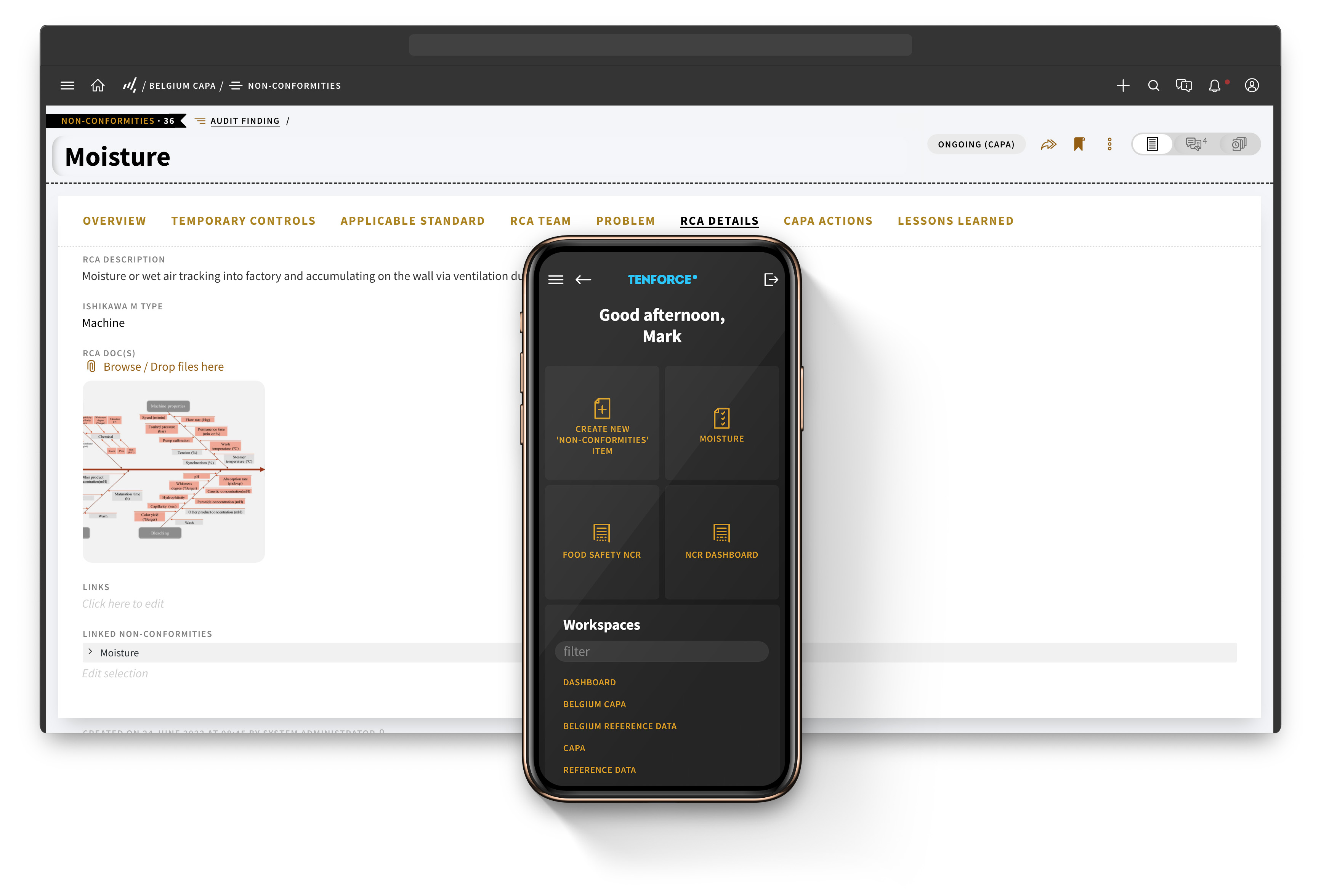
The Tenforce platform is highly accessible and easy to manage for all employees. You’ll get a clear overview of the controls in place and all the actions per non-conformity.
Retake full control of the CAPA process
The Tenforce Action Management module is built with flexibility in mind. It allows you and your team to have full control over the CAPA process for each department and site.
Move toward proactive work with predefined flows and clear steps
With root cause analysis built into the CAPA process, you can rest assured that future events and similar non-conformites can be avoided down the road.
Customer Stories
Using Technology to Streamline the CAPA Process Across the World
Discover how one of the world’s largest dairy companies ensures quality and safety from grass to glass across four continents.
A structured CAPA process from root cause to closure
Identify and Register Non-Conformities
- Determine risk category
- Event and risk categorize can be self-managed
- Events can be generated from other Tenforce modules, such as Audit Management
Describe the Problem
- A logical next step and necessary component for root cause analysis
- Links with other Tenforce modules when appropriate to automatically pull data
- Generates a small feedback loop to request more information and validate the information
Perform Root Cause Analysis
- Determine if a short-track RCA is sufficient or if a 6-stage RCA is more appropriate
- Select your root cause analysis team and methodology
- Upload additional documentation, media, and information
Define Your CAPA Action Plan
- Set up and determine your action plan before launching it
- Assign executors and resposible persons for each action
- Add more actions as the plan is put into place
Execute and Follow Up On Actions
- Maintain control of each step in the flow
- Manage non-conformity lifecycles
- Receive centralized control and automated reminders
Evaluate and Close
- Perform the “Check” phase of the Plan-Do-Check-Act cycle
- Evaluate each individual action for effectiveness
- Close actions with preliminary closure option available for final evaluations
Questions and answers
What should CAPA management software cover beyond action tracking?
Your CAPA management software should help you assess the issue, investigate its root cause, implement corrective and preventive actions and verify the result. TenForce connects the full CAPA process in one workflow.
How do you check whether corrective actions worked?
You can evaluate the effectiveness of each action. If you need more time to judge the result, use preliminary closure and complete the final evaluation later. This prevents you from closing a CAPA simply because the task is finished.
How do you keep CAPA actions on track?
Assign clear responsibilities to investigators, action owners and evaluators. Automated workflows, notifications and reminders help move the CAPA forward and highlight overdue actions that need attention.
Can you use different root cause analysis methods?
Yes. You can configure root cause analysis around your preferred methodology, select the investigation team and attach supporting documents, images and other evidence.
How does TenForce maintain a complete CAPA audit trail?
TenForce links the original incident, audit finding, complaint or nonconformity with the investigation, root causes, actions, evidence and effectiveness checks. You can follow the full history without rebuilding it from separate systems.
How does TenForce support ISO and regulatory compliance?
TenForce keeps each stage of your CAPA process documented and traceable. This helps you provide evidence for ISO 9001, ISO 14001, ISO 45001 and your own internal requirements.
How can you monitor CAPA performance across sites?
You can view CAPAs by status, site, department or owner. This helps you compare performance, find overdue work and identify recurring nonconformities across your organization.
How does CAPA connect with other EHSQ processes?
CAPA is part of the wider TenForce EHSQ platform. You can connect actions with Audits and Inspections, Incident Management, Management of Change, Complaint Handling and Document Control, keeping related changes and follow-up together.